
SEO In Website Design: The Complete Guide
This guide shows how SEO web design creates a site that is both search engine friendly and user friendly across devices. You will get measurable targets for site speed and page speed, information architecture patterns for a SEO friendly website, accessibility cues for screen readers, internal links that pass relevance, and a launch checklist that
Created: November 23, 2025 | Updated: 23/11/2025 | Reading Time: 21 minutes

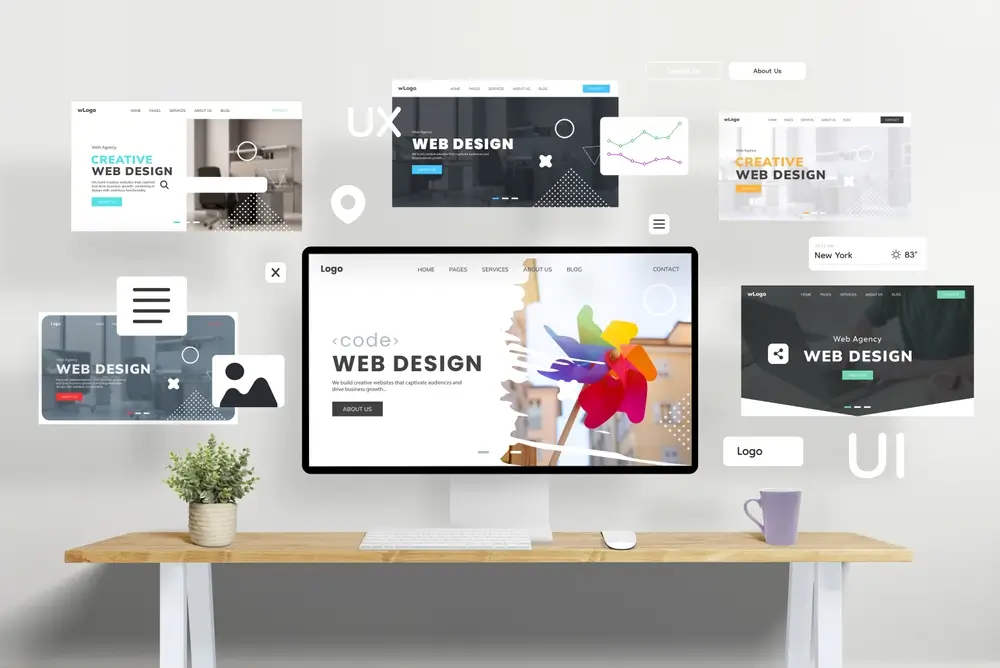
SEO in website design means planning, structuring and building web pages so real people and search engines can find, understand and trust your site from day one.
When you design with search engine optimisation in mind, you remove technical blockers, make website content easier to parse, and give users a faster, clearer path to the action you want them to take. The result is a visually appealing website that loads fast, earns quality backlinks, wins higher search engine rankings on search engine results pages, and converts.
This guide shows how SEO web design creates a site that is both search engine friendly and user friendly across devices. You will get measurable targets for site speed and page speed, information architecture patterns for a SEO friendly website, accessibility cues for screen readers, internal links that pass relevance, and a launch checklist that prevents broken links and keeps your website’s visibility strong.
Who This Guide Is For
- Website owners, marketers and designers planning a new web design or redesign
- Developers who want acceptance criteria that map to SEO performance outcomes
- Content teams using a content management system who need repeatable on page SEO templates and a QA checklist
What You Will Learn
- How to make design choices that improve search rankings and conversions
- How to set Core Web Vitals targets and speed budgets your team can hit
- How to map site structure and internal links that scale
- How to bake page SEO into components, title tags, page title, meta descriptions, alt tags, so it happens automatically
- How to launch with clean indexing, web accessibility, analytics and governance in place
What SEO-Friendly Design For Search Engines Actually Means
SEO friendly design is a build approach that makes pages easy to discover, fast to load, simple to understand and trustworthy to act on for users and search engines. It connects structure, content, performance and accessibility so search engines crawl, render, index and rank effectively while people complete tasks quickly.
Search engine optimisation involves modifying a website to enhance its visibility in search results, and balancing SEO requirements with user experience is critical in website design. High quality content is paramount for improving search engine rankings because search engines prioritise relevant content and high quality content that satisfies user intent. Your website’s performance, especially site speed and page speed, directly impacts engagement and positions on search engine results pages.
At its core, SEO website design covers four layers:
- Findability: internal links, sitemaps, robots rules, canonicals and clear site structure that helps search engines understand relationships between pages and other pages
- Performance: fast delivery, limited render blocking resources, optimised media, browser caching and a secure website, HTTPS
- Meaning: semantic HTML, headings in order, H1, H2, H3, descriptive anchors, structured data and alt tags that assist screen readers and bots
- Trust: real contact details, ABN, policies, reviews from other websites, author bios and accurate local info
Readable URLs that include relevant keywords improve discovery and ranking, and a consistent pattern clarifies relationships between categories and important pages. Proper metadata, title tags, page title and meta descriptions, can improve click through rates in search engine results. Creating an accessible website benefits both UX and SEO performance, web accessibility practices improve comprehension for users and bots. Strategic keyword research is essential, use keyword research tools like Google Keyword Planner to identify relevant keywords and match them to each specific page.

User Experience And Google’s Search Results
Design choices that reduce friction also improve how search systems evaluate page quality and usefulness. A user friendly site that answers search queries quickly, reads cleanly on mobile devices, demonstrates expertise with high quality content and proves credibility tends to win both clicks from search engine results and conversions.
Design for task completion:
- Front load the answer. The first sentence under every heading must answer the heading, match user intent before flair
- Cut the path to action. Show one primary CTA above the fold, one secondary CTA below the first scroll
- Prove you are real. Display ABN, address or service area, licences and warranty terms, link to reviews on other websites
- Show social proof. Add review counts, star averages, logos and before after images with captions
- Write for skimmers. Keep paragraphs short, use verb led bullets, and bold one takeaway line per subsection
Add numeric constraints to your UX:
- Max 3 nav tiers, important pages within 3 clicks
- Max 7 primary menu items
- Max 2 CTAs per screen
- Min 16 px body text, 44 px minimum touch targets for mobile users
- Contrast ratio at least 4.5 to 1 for body text, web accessibility
A balance between user experience and SEO is essential for a successful website, poor website functionality can drive away a significant percentage of visitors, which increases bounce rate and reduces website traffic from organic search results.
Visitors expect fast loading web pages, improving page speed lowers bounce, increases engagement and supports better positions on Google’s search results. Engaging and high quality content attracts more visitors and keeps them on the site longer, supporting higher conversions when users and search engines work in tandem.

Mobile Optimisation
Mobile optimisation is crucial because mobile users make up a large share of traffic and behaviour signals, and mobile friendly websites tend to rank higher than non optimised counterparts. In 2016 Google announced mobile first indexing, and in 2022, mobile devices generated about 58.99% of global website traffic, so responsive web design is essential for retention and discovery.
Mobile acceptance criteria:
- Typography: body 16 to 18 px, line height 1.5 to 1.8, headings with clear hierarchy
- Layout: fluid grid, consistent spacing scale, content width 640 to 720 px on small screens
- Navigation: sticky header, leaf links reachable in 3 taps, descriptive labels that reflect relevant keywords
- Images: responsive srcset and sizes, explicit width and height, lazy load offscreen assets
- Interactivity: no hover only interactions, clear focus states, no keyboard traps for accessibility
- Pop ups: avoid intrusive interstitials that harm page optimisation and SEO performance
Mobile optimisation facts to action:
- Providing a fast loading, easy to navigate site for mobile users increases engagement and lowers bounce
- Over half our time online is on mobile devices, so optimising navigation and content for small screens matters
- Optimising for mobile includes ensuring that key elements like navigation and content are easily accessible on smaller screens
- Proper mobile design can lead to lower bounce rates, higher time on site and increased page views
- Technical issues such as page speed and mobile usability can significantly affect a website’s ranking and engagement metrics
- Successful mobile optimisation helps businesses reach a broader audience by meeting the needs of mobile users effectively
- Because 89% of consumers prefer video content, ensure videos are mobile ready to support UX and SEO efforts
Page Speed And Core Web Vitals In Design
Faster pages improve Core Web Vitals and user interactions, which correlate with better visibility on Google’s search results and higher conversion rates. Page speed is critical for user satisfaction and directly impacts conversion rates and visibility on search engine results pages, so design your speed, do not hope for it.
Targets To Hit
- Largest Contentful Paint, LCP: 2.5 s or less at p75
- Interaction To Next Paint, INP: 200 ms or less at p75
- Cumulative Layout Shift, CLS: 0.1 or less at p75
Speed Budgets By Template
| Template | HTML | Critical CSS | JS Initial | Hero Image | Inline Images |
|---|---|---|---|---|---|
| Home | 60 KB or less | 20 KB or less | 150 KB or less | 300 KB or less | 100 KB or less |
| Service | 60 KB or less | 20 KB or less | 120 KB or less | 250 KB or less | 100 KB or less |
| Blog | 60 KB or less | 15 KB or less | 100 KB or less | 220 KB or less | 80 KB or less |
| Product | 70 KB or less | 20 KB or less | 150 KB or less | 280 KB or less | 100 KB or less |
Performance design patterns:
- Use a single variable font or system fonts, preload one font file only
- Inline critical CSS, defer the rest, remove unused CSS in the content management system pipeline
- Ship modern image formats where supported and compress to target weights
- Avoid auto playing hero video on mobile devices, one optimised hero is enough
- Defer noncritical JS and third party tags, keep JS initial under budget
- Enable browser caching and a global CDN, monitor site’s performance with web analytics
Information Architecture And Internal Links Models
A clear Hub to Sub Hub to Page structure helps users and search engines find important content quickly and pass relevance through internal links. Good IA reduces crawl waste, improves click paths and scales cleanly.
Build A Simple, Shallow Structure
- Depth: keep revenue driving or important pages within 3 clicks of Home
- Clusters: group topics under a hub and link spokes up, down and laterally to other pages in the cluster
- Breadcrumbs: show position and add BreadcrumbList schema
- Utility Pages: keep policies, support and contact accessible from every specific page
- Readable URLs: short, descriptive and include relevant keywords, avoid parameters on core pages
Example structure for a Perth service business:
- Home
- Services
- Roof Restoration
- Roof Restoration Applecross
- Roof Restoration Joondalup
- Roof Restoration Duncraig
- Roof Painting
- Roof Painting Applecross
- Roof Painting Joondalup
- Roof Restoration
- About
- Reviews
- Blog
- Contact
- Services
Internal Linking Rules
- Add one money link in the first 120 words using an anchor that mirrors the target page title
- Add two to four contextual links per long section using descriptive anchors with relevant keywords
- Link across spokes within the same cluster, do not only link back to the hub
- Keep total internal links between 80 and 150 on long guides to avoid dilution
- Use consistent URL patterns that help search engines understand hierarchy
Internal linking helps establish website hierarchy and guides search engines through your website’s structure, improving discovery and relevance flow.

Technical Foundations For Search Engine Optimisation During Design
Technical SEO is the build level work that lets crawlers access, render and index pages correctly and efficiently. Decide rules once, then automate them in your stack.
Crawl And Index Control
- Robots.txt: allow assets required for rendering, block staging and internal search paths
- Canonicals: add absolute canonicals on each template, avoid cross domain canonicals unless planned
- Noindex: apply to thin filters, duplicate variants, parameterised lists and test pages
- Sitemaps: split by type, pages, posts, products, include lastmod, submit in Google Search Console
- Parameters: prefer clean URLs, define parameter handling for filters, avoid duplicate content
Rendering Strategy
- Render primary content as HTML on first load so search engines crawl and parse without heavy JS
- Hydrate interactions below the fold only, keep critical CSS lean
- Provide fixed dimension placeholders for media to prevent CLS
Pagination And Filtering
- Use canonical to the unfiltered page or Page 1 of a paginated list
- Keep only valuable filters crawlable, otherwise block or noindex
- Avoid infinite scroll without paginated URLs, provide accessible Load More with proper links
Security
- Ship HTTPS across the whole domain for a secure website, consistent cookies and referrer data
- Monitor for mixed content, fix at build time
Key Technical SEO Elements
- Website speed is a critical factor on search engine results pages and is tracked via Core Web Vitals
- Mobile usability is a baseline requirement in modern SEO and web design
- Metadata, title tags and meta descriptions, helps search engines understand the content of web pages and can lift CTR
- Internal linking aids search engines in understanding the structure and importance of pages
- Correct implementation of HTML elements improves how Google’s algorithm interprets content, keep a clean HTML structure
- A sitemap helps search engines crawl and index all web pages on a site
- Alt tags are necessary for images, they provide context to search engines and improve accessibility for screen readers
- Proper usage of header tags promotes hierarchy and comprehension
- Page titles and meta descriptions influence CTR on search engine results pages
- Use analytics like Google Analytics and Google Search Console to monitor the website’s performance, indexing, keyword rankings, coverage and enhancements
- Bounce rates and user engagement metrics inform how well content satisfies visitors, an indirect ranking influence
- Responsive web design enhances SEO by ensuring mobile optimisation across devices
- Fix broken links and crawl errors promptly to protect equity and SEO performance
On Page SEO Elements
On page SEO should be componentised so writers cannot forget it and developers cannot break it. Build once, reuse everywhere.
Title, H1 And Intro Pattern
- Title Tags: primary term first, value second, location or qualifier third, 60 to 70 characters
- Page Title, H1: mirrors intent, not the title tag, natural language for users and search engines
- Intro: 40 to 90 words, answer the query and state the outcome, include at least one number
Example:
- Title Tag: Roof Restoration Perth | Full Inspection, Written Warranty, Fast Scheduling
- Page Title, H1: Roof Restoration In Perth
- Intro: Restore your roof with a full inspection, minor repairs and a durable protective finish. Typical homes are completed in 2 to 4 days with a written workmanship warranty and compliant safety practices across Perth suburbs.
Headings And Body
- The first sentence under each heading answers the heading directly in one line
- Use verb led bullets with parallel structure to match user intent and improve page optimisation
- Add at least four numeric values per 500 words
- Give examples after every plural noun, schema types include FAQ, BreadcrumbList, LocalBusiness
Media And Captions
- Use descriptive filenames like perth roof restoration terracotta tiles.jpg
- Write alt tags that state the subject, context and purpose in one sentence, assist screen readers
- Add captions that explain the value or outcome in 12 to 18 words
- Strip EXIF data and define width and height to prevent layout shift
Readable URLs should be short, descriptive and include relevant keywords, avoid parameters where possible on core pages. On page SEO elements, title tags, H1s, meta descriptions and alt tags, should be pre wired in the component library so authors cannot skip them.

Image, Video, Alt Tags And Media Optimisation In The Design System
Media drives engagement but can destroy performance if unmanaged, so design a media policy with strict budgets and automation.
Images:
- Generate responsive variants and srcset for 320, 640, 960, 1280 px
- Use AVIF or WebP where supported, JPEG fallback where needed
- Target hero 300 KB or less and inline 100 KB or less, compress to 70 to 85 percent
- Add loading equals lazy to offscreen images and fetchpriority equals high to the LCP image
Video:
- Host long videos externally, embed with privacy friendly, performance optimised players
- Provide transcripts and captions, supply a poster image
- Avoid autoplay on mobile devices, defer loading until user intent
Icons and UI:
- Prefer SVG sprites, inline only critical icons
- Avoid icon fonts, they add bytes and accessibility complexity
Using alt text for images allows search engines to understand visual content better and improves accessibility, it also supports image discovery in search engine results.
Accessibility And Semantics That Improve Discoverability
Semantic HTML and accessible patterns help both assistive technologies and search engines interpret your content. Accessibility is not a bolt on, it is part of SEO strategies.
WCAG 2.2 AA checklist mapped to SEO:
- Headings: use H1 to H6 in order, do not skip levels for styling
- Landmarks: use header, nav, main, aside, footer to define regions
- Focus: ensure visible focus states and a logical tab order
- Forms: label inputs, describe errors and expose status messages to screen readers
- Media: provide captions, transcripts and alt text that conveys meaning
- Colour: meet contrast ratios of at least 4.5 to 1 for body copy
- Keyboard: test all interactions without a mouse, remove keyboard traps
These patterns reduce pogo sticking and improve user interactions, which align with stronger search engine results.
Local SEO Modules For Service Businesses
Local modules prove you serve real people in real suburbs, which improves relevance, trust and conversions for location based search engine results. Treat locality as a component library, not ad hoc content.
The NAP And Proof Block
Place a NAP block in the footer and on key service pages:
- Business name, ABN and licences
- Phone in clickable format tel:+61xxxxxxxxx
- Physical address or clearly stated service area
- Opening hours, Australia, Perth
- Links to reviews and relevant content on other websites
Service Areas Grid
Add an alphabetised grid of 20 to 60 suburbs you actually serve and link to suburb pages:
- Applecross, Ardross, Atwell
- Balcatta, Bayswater, Beaconsfield
- Cannington, Claremont, Como
- Duncraig, Dianella, Doubleview
- Ellenbrook, East Fremantle, Edgewater
Suburb page pattern:
- H1 suburb plus service term, 90 word intro with timeframe and proof
- Three suburb specific examples with photos and captions
- Pricing or range if applicable
- CTA and map embed, load interactive map on demand to protect page speed
Lightweight Map Embed
- Use a static map image with a button to load the interactive map
- Provide text directions and landmarks to avoid mandatory map loads
Review Carousel With Source
- Show the star average, count and three excerpted reviews with dates
- Link to the source for verification
- Add Review, LocalBusiness or Service schema where applicable
International And Multi-Region Considerations
If you serve multiple countries or languages, set a simple hreflang and URL strategy now to avoid fractured signals later.
- Use separate directories for regions, such as slash au slash, slash nz slash
- Add hreflang tags pointing to each version and an x default
- Keep templates consistent, avoid machine translated junk pages
- Host media centrally to prevent duplication and conserve bandwidth
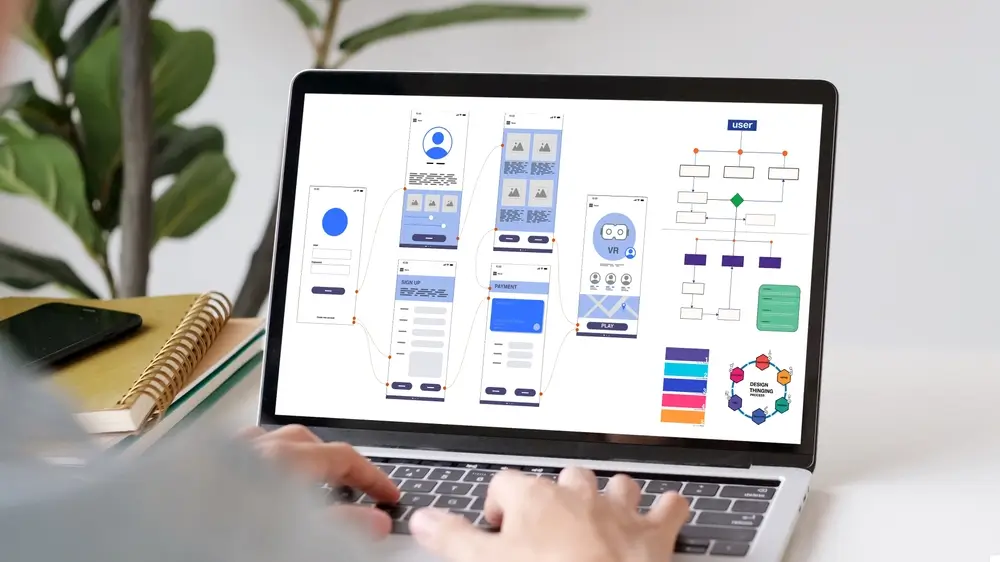
Content Design Templates By Search Intent
Writers move faster and make fewer mistakes when the template bakes in SEO website design elements. Provide patterns and guardrails in your content management system.
Service Page Template
- H1: Service plus Location
- Intro: 70 to 90 words with outcome and timeframe
- H2 Common Problems We Fix
- Bold the answer line. Add four to six verb led bullets with examples and relevant keywords
- H2 Pricing And What It Includes
- Ranges, inclusions, exclusions, warranty
- H2 Our Process
- Five to seven steps with durations
- H2 Service Areas Across Perth
- Grid with suburb links
- H2 Why Choose Us
- Proof points with numbers and quality content cues
- H2 FAQs
- Five to seven questions with first sentence answers
- CTA with value and trust badges
Guide Or Blog Template
- H1: Outcome Or Question In Plain Language
- Intro: 50 to 80 words stating the answer and who it helps
- H2 Quick Answer Or Benefits
- H2 How It Works Or Step By Step
- H2 Buying Checklist Or Common Mistakes
- H2 Examples And Case Snapshots
- H2 FAQs
- CTA to a specific page that converts
Product Page Template
- H1: Model plus Core Benefit
- Above the fold bullets: five to seven with at least four numbers
- H2 Specifications Table: dimensions, capacity, materials, warranty
- H2 What Is Included
- H2 Installation Or Usage Steps
- H2 Compatibility
- Reviews snapshot and FAQs
Keyword Research, On Page SEO, Off Page SEO And Quality Content
Great rankings start with keyword research tools, relevant keywords and quality content that satisfies user intent. Your aim is to map topics to templates and components so your SEO efforts are consistent and sustainable.
Implementation tips:
- Use Google Keyword Planner, then validate with additional tools to understand keyword rankings potential and search queries volume
- Prioritise topics where you can produce high quality content that earns natural links and answers user intent clearly
- Map one primary query per page, use semantically related terms in headings and body to help search engines understand context
- Place the primary term in the title tag, page title and first 100 words, use natural language
- Add structured data where applicable, match FAQs to what appears on search engine results pages for your niche
- Remember, off page SEO, earning quality backlinks from other websites, supports authority, paid search ads and search ads in broader digital marketing campaigns complement, not replace, organic work
Readable content increases engagement and reduces bounce rate, which can indirectly lift positions. Regularly updating website content keeps pages fresh for users and crawlers. Using descriptive URLs that include relevant keywords aids both user navigation and SEO.
Using Analytics To Improve SEO And Google Search Performance
Measure what matters by template so you can improve speed, UX and conversion with confidence. Tie metrics to hypotheses and acceptance criteria.
Core measurements:
- Real User Core Web Vitals: LCP, INP, CLS at the 75th percentile for mobile and desktop
- Engagement By Template: scroll depth, time on page, form starts, form errors, successful submits
- Navigation Quality: clicks on nav items, site search usage, back to list behaviours
- Content Performance: internal link CTR and assisted conversions
- Local Signals: calls and direction clicks from suburb pages
Tooling and governance:
- Use Google Search Console to monitor indexing, coverage issues and keyword rankings fluctuations
- Use web analytics to segment by device, template and traffic source, compare organic search results versus paid search ads
- Monitor the site’s performance continuously after launches, integrate dashboards into your dev workflow
Launch, Migration, Broken Links And QA Checklist
Most traffic losses happen at launch because of preventable issues, so follow a strict checklist. Validate before and after you push live.
Pre launch:
- Crawl staging and confirm parity with production URLs
- Generate a redirect matrix for all changed URLs and test 301s, avoid broken links
- Validate canonicals, robots rules and sitemaps
- Set speed budgets in CI and block merges that exceed them
- Populate title tags, meta descriptions and alt tags via components
- Add schema for FAQ, BreadcrumbList, LocalBusiness or Product as needed
- Confirm descriptive, keyword rich slugs on all key URLs
Launch day:
- Remove noindex from live templates
- Submit sitemaps and key URLs in Google Search Console
- Verify the LCP element and weight on the home and top 10 pages
- Check 404s, 500s and redirect chains with a site crawl
First 14 days:
- Watch Google Search Console for coverage issues and performance
- Sample server logs to confirm search engines crawl the new structure
- Fix unexpected parameter pages and duplicate variants
- Compare website traffic and conversions to the last comparable period

Common Pitfalls And How To Avoid Costly Redesigns
Most redesign regrets come from missing fundamentals that are easier and cheaper to plan early.
- Over designed heroes: heavy video, multiple carousels and floating UI increase LCP and CLS. Use a single, optimised hero image
- Navigation sprawl: too many categories or levels bury important pages. Cap tiers at 3 and clean labels
- JS only content: if a crucial paragraph exists only after client side render, search engines may miss it. Render primary copy as HTML
- Duplicate templates and thin filters: tag clutter wastes crawl budget. Noindex thin variants, canonical to the main list
- Inconsistent anchors: vague click here anchors waste context. Mirror the target page title and relevant keywords
- Accessibility afterthoughts: retrofits cost time. Bake WCAG checks and screen readers testing into design and QA
- Skipping redirects: losing legacy equity can take months to recover. Map every changed URL
- No speed budgets: without limits, bytes grow every sprint. Enforce budgets and test page optimisation regularly
- Ignoring off page SEO: content without outreach rarely earns links. Plan ethical link acquisition that leads to quality backlinks
Conclusion And Next Steps
Design for people first, but constrain the build with measurable SEO targets so search engines and users both succeed. Put speed budgets in your repo, map a shallow site structure with descriptive anchors, integrate on page SEO into components, and launch with clean indexing and analytics. Then keep improving with keyword research and governance, not ad hoc tweaks.
Your Quick Action List
- Set Core Web Vitals targets, LCP 2.5 s or less, INP 200 ms or less, CLS 0.1 or less
- Adopt the speed budgets table and enforce it in CI
- Map your clusters and keep money pages within 3 clicks
- Build title, H1 and intro patterns into your CMS components
- Implement NAP, suburb grid and review modules for Perth
- Add BreadcrumbList, FAQ and LocalBusiness schema where relevant
- Run the migration and QA checklist before and after launch
On this page
Get our newsletter
We send 1 or 2 emails per month —a company update as well as shared learnings from our own entrepreneurial journey.
Ilana is a highly motivated, energetic, and passionate Web Designer & Development Consultant with over 14 years experience in the development of websites, building online platforms, ecommerce sites, membership sites, online training platforms, and developing sites capable of scaling and ranking in search (SEO).
ilana’s web development capacity is backed with an additional 14 years experience working in the automotive industry where she amongst other roles ran sales training programs across Australia and undertook development programs to systemise and streamline business practices.
With the pairing of this intimate knowledge of business fundamentals and high level web / programming ability ilana can build sites that not only look good but deliver results.
Frequently Asked Questions
Find answers to common questions about our backlink services.
Website SEO improves how easily search engines discover, understand and rank your pages so the right users find you organically.
Ready to Work With Us? Get in Touch
Join hundreds of Australian businesses that have improved their search rankings with our premium backlink solutions.
Related Resources
Explore our knowledge base to learn more about link building and SEO strategies.

PageRank Explained For Modern SEO
Pagerank is a link analysis algorithm that scores how likely a random web surfer is to land...

What Is SEO And How Does It Work?
SEO is aligning your website content with how people search and how search engines work so you...
SEO In Website Design: The Complete Guide
This guide shows how SEO web design creates a site that is both search engine friendly and...

Why Blogs Are Important For SEO
Blogs are important for SEO because they capture long tail demand, create internal link pathways to money...

What Is a Search Engine & What Are the Best Ones to Use?
A search engine discovers pages with crawlers, stores what it finds in an index, and ranks results...

How Do I Index My Backlinks Faster in Google?
In this blog post, we explore how backlink indexing works, discuss various ways to index backlinks, and...

Can You Get Traffic Without Backlinks?
Many website owners ask, can you get traffic without backlinks? While backlinks are one of the strongest...
What Is a Tier 3 Backlink
A Tier 3 backlink is a link that points to a Tier 2 backlink, which itself supports...
What Is a Tier 2 Backlink?
A Tier 2 backlink is a link that points not directly to your website, but to a...

Content Creation & Article Placement Guidelines
At AU Backlinks, we believe that every article should do more than just host a link -...
Ready to Work With Us?
Join hundreds of Australian businesses that have improved their search rankings with our premium backlink solutions.